The site has one "Practice Areas" page with a paragraph per area.
A person searching for a specific matter finds nothing that speaks to it and calls the next firm in the results.
Managed law firm websites Live in 7 days Build fee after launch From $137 a month
Appearance
Ink and foil
Stored on this device only.
Answer one or both and the sheet points you at the pages built for your firm. Every page is listed underneath, so you never have to answer anything.
Appearance
Ink and foil
Stored on this device only.
Pricing
Law firm website pricing, stated plainly: three plans, each a fully managed website for one law firm. Every plan carries a $797 one-time build fee that is invoiced only after the site is live and you have approved it. 5 revisions a month, 90+ PageSpeed and researched articles are on every plan; the AI Engine and the Content Engine are what the second and third plans add.
The problem
Every plan exists to remove the same five problems from a small firm's website. Here is each one and what it costs the firm.
A person searching for a specific matter finds nothing that speaks to it and calls the next firm in the results.
Callers ask the receptionist what it costs, get a vague answer, and the intake stalls before it has started.
The one page a serious client reads before calling gives them no reason to trust the attorney with the matter.
A person searching from a car outside a courthouse does not wait for a slow page. They go back and tap the next result.
The form sent on Friday night is answered on Monday afternoon, after two other firms have already replied.
Two guarantees
The site opens before a person on a phone gives up, and it has a page for every matter in every place you practice. Both are guaranteed in the terms.
Included
All six are on Counsel, Chambers and Firmwide alike. Nothing is itemized and nothing is an add-on.
Home, one page per practice area, attorney bios with admissions, office pages, about, contact and a consultation request form, all custom coded and written for your firm.
An illustrative figure for a flat-fee matter, an hourly engagement at your published rate, or a retainer arrangement. Labeled as not a quote and not legal advice.
One domain free for as long as the plan is active, registered in your firm's name through Cloudflare Registrar or Spaceship. Already have one? We point it instead. Either way it stays yours.
Cloudflare's global network with SSL, CDN, DDoS protection and unmetered bandwidth, included in the monthly fee. No hosting bill, no SSL bill, no bandwidth overage.
Consultation requests and fee estimates delivered into any CRM by API, Zapier or Make, with practice area and matter type attached.
An account the day the site goes live. Request revisions, raise support tickets, send files and message the team. 5 revisions a month, each completed in 2 to 5 working days.
The writing
Each article is 2,500 to 3,200 words, answer-first, with cited sources and a matching FAQ. You review them before they publish. Four kinds make up the mix.
What a matter type involves, in plain language, for a person who has never dealt with it. Written as general information, never as advice on a case.
What happens after a filing, an arrest, a closing or a petition, step by step, so the reader knows what the firm will do at each stage.
The court, the county and the filing offices where you practice, and what a person should bring or expect there.
The exact question a person types before calling a lawyer, answered in the first sentence and then explained, with a plain statement that it is not legal advice.
After launch
5 revisions a month are included on every plan, then $20 each. Weekly detail updates are separate and never count against them.
Launch day
Six things that change on launch day. The left is what most small firm sites carry today; the right is what yours carries instead.
The funnel
Four steps narrow everything a firm has to hand over into a single outcome. You pay one month up front, we build from one call, and the $797 build fee is invoiced only after the site is live and you have approved it.
Day 0
Choose Counsel, Chambers or Firmwide and pay the first month. Nothing else is due until the site is live and you have approved it.
Same day
About 15 minutes at /onboarding: practice areas, attorneys and admissions, offices, consultation terms and your intake tool. Anything missing can follow by email or as a ticket in your client portal.
Within 2 days
We walk through your answers, fill the gaps, agree the tone for the practice area pages and set the launch date. That call is the whole brief.
The build
Practice area pages, attorney bios, office pages, the consultation request form wired to your CRM and the fee and retainer estimator, all reviewed with you before launch.
Launch
The site goes live in 7, 10 or 15 days depending on the plan. The $797 build fee is invoiced only after you have approved the live site, and your portal account opens the same day.
The value case
The fee is easiest to judge by what stops arriving as a separate bill or a partner's job once the plan starts.

Hosting, SSL, CDN, DDoS protection, backups and monitoring are in the monthly fee. There is no separate invoice for any of them.
A custom-coded static site has no plugin stack and no builder subscription to renew or patch.
5 revisions a month of any size and weekly detail updates are included. Past that, a flat $20 per revision. No hourly billing anywhere.
On Chambers and Firmwide the AI receptionist, chat and messaging agents answer and book at any hour, with usage passed through at cost.
Researched articles every week, and on Firmwide social posts, reels and the Business Profile, drafted for your approval.
One domain free while the plan is active, registered in the firm's name.
Every term
Every term of every plan, in one table. Prices are in US dollars, billed monthly, with the $797 build fee invoiced once after launch.
| Term | Counsel | Chambers | Firmwide |
|---|---|---|---|
| Monthly fee | $137 | $297 + AI usage | $747 |
| One-time build fee, invoiced after launch | $797 | $797 | $797 |
| Live in | 7 days | 10 days | 15 days |
| Fast pages, 90+ PageSpeed guaranteed | |||
| One page per practice area | |||
| Attorney bio pages with admissions | |||
| Office and location pages | |||
| Consultation requests into your intake CRM | |||
| Fee and retainer estimator | |||
| Revisions included each month | 5, then $20 each | 5, then $20 each | 5, then $20 each |
| Revision turnaround | 2 to 5 working days | 2 to 5 working days | 2 to 5 working days |
| Researched articles a week (2,500 to 3,200 words) | 2 | 2 | 3 |
| Weekly detail updates | |||
| Domain and Cloudflare hosting included | |||
| AI receptionist and site chat that book consultations | |||
| SMS, Messenger and Instagram AI, call-analysis PDF, A2P 10DLC filed | |||
| 3 social image posts and 2 reels a week | |||
| Google Business Profile managed |
Counsel
The website, fully managed
$137/ month
plus $797 one-time build fee, invoiced after launch
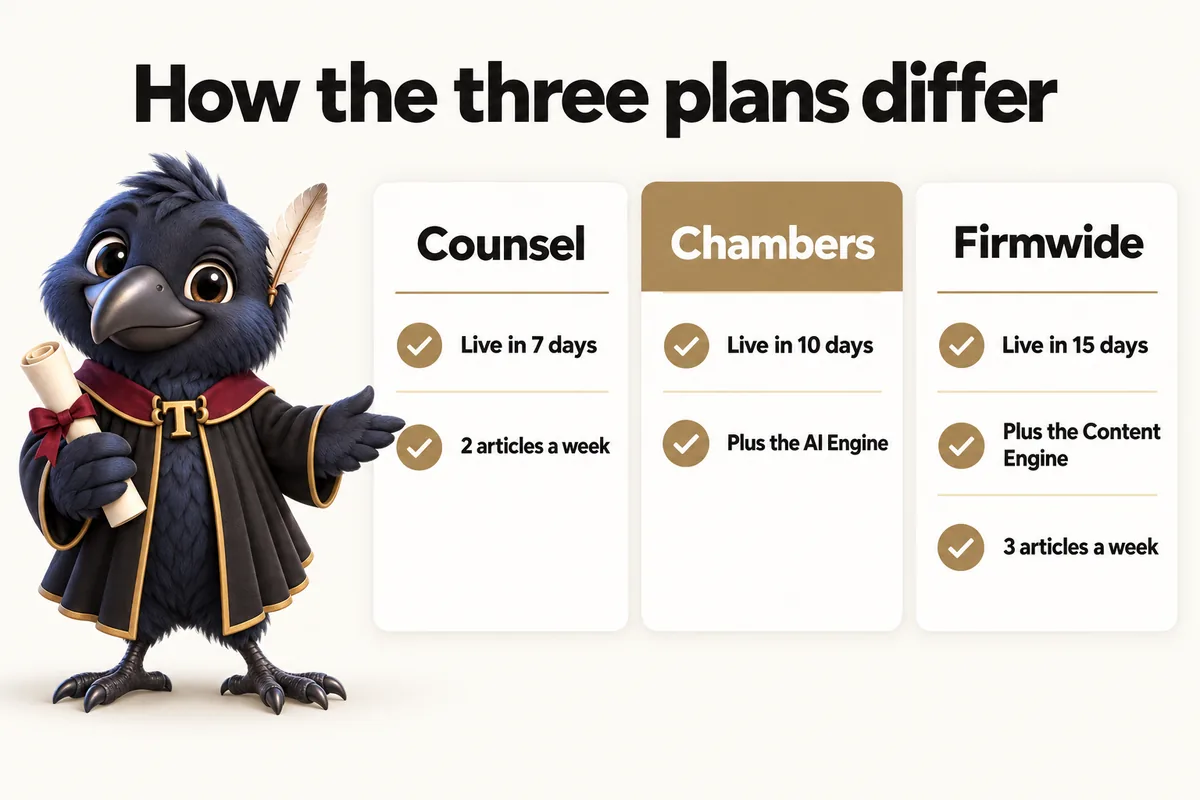
Live in 7 days
Best for: A solo practitioner or small firm that wants the website handled and the intake to work.
Every practice area page, attorney bio and office page written and built, consultation requests into your intake CRM, the fee and retainer estimator, 2 researched articles a week and weekly detail updates, for one monthly fee.
Book a demoChambers
Everything, plus the AI Engine
$297/ month + usage
plus $797 one-time build fee, invoiced after launch
Live in 10 days
Best for: A firm that misses calls after hours and wants every inquiry answered and booked.
Everything in Counsel plus the AI Engine: an AI receptionist that answers, sorts the caller by practice area and books the consultation, site chat, SMS, Messenger and Instagram AI, a call-analysis PDF after each call, and A2P 10DLC filed for you.
AI usage is billed at cost, monthly in arrears. The agents never give legal advice; anything that would amount to advice is handed to a person at your firm.
Book a demoFirmwide
Everything, plus the Content Engine
$747/ month
plus $797 one-time build fee, invoiced after launch
Live in 15 days
Best for: A firm that wants the site, the phones and the content handled together.
Everything in Chambers plus the Content Engine: 3 researched articles a week, 3 social image posts a week, 2 reels a week, and your Google Business Profile managed.
All content is general information about the law, reviewed by you before it publishes, and never legal advice.
Book a demoEvery feature
Every feature and the plan that carries it, in one table. Each row links to the full explanation: what it does, the problem it solves for a firm and what you have to do.
Counsel $137/ monthChambers $297/ month + usageFirmwide $747/ month
Every plan carries the $797 build fee, invoiced only after the site is live and approved. Chambers adds AI usage at cost, billed monthly in arrears.
In the firm's words
Three firms on the work behind the site, naming what each one actually got.
What I value about the consultation preparation guide is its restraint. People come to the first call prepared, and nobody has been asked to upload anything premature. The link now goes out with our reply to every new inquiry.
Our old change process for consultation preparation content was informal to the point of folklore. Now I send the current wording and its replacement, review the preview, and confirm. Far easier than narrating edits and hoping they survived the telling.
Previous projects left us a website and a memory; this one left instructions. Contacts, change process, post-publication checks: all written down in plain terms. A colleague followed it without a single phone call, which is the real test.
Risk reversal
You approve the live site before the build fee is invoiced. The rest is written into the terms, with the conditions stated.

The $797 build fee is invoiced only after the site is live and you have approved it. Cancel before the build starts and it is never charged.
On mobile and desktop for the pages we build and host. If one falls below it because of our work, we fix it at no charge.
Your site starts ranking for local searches within 3 to 5 months of launch, or we keep working at no extra charge until it does.
If the site is down for more than 24 hours in a month because of something in our control, that month is credited or refunded on request.
Cancel any month with 2 business days notice before the next invoice. The domain stays yours and we export your content and articles within 14 days.
Before you compare prices
A builder subscription or a one-off freelance build can cost less up front. The fair comparison adds hosting, upkeep, intake, the AI Engine and your time. Each page below does that honestly, including when the other option is the better fit.
Wix, Squarespace, GoDaddy and similar builders are cheap to start and fine for a placeholder. The cost is your time, and speed, intake and upkeep are yours to solve.
Wix vs a managed sitePowerful and flexible, if someone owns the updates, plugins or CMS. Ours is managed end to end, with nothing for the firm to maintain.
WordPress vs a managed siteOften good value for the build. Ask who answers when an attorney joins next year, and what a change costs.
Freelancer vs a managed siteAgencies can run ads and campaigns, which are not part of our plans. For the website itself, compare monthly retainers, contracts and who owns the site.
Agency vs a managed siteIf your intake already lives in GoHighLevel, keep it. Our site can send every request straight into it.
GoHighLevel vs a managed siteAnswers
The questions firms ask most before choosing a plan, answered plainly. The full grouped list is on the FAQ page.
You pay the monthly fee for the plan you choose up front: $137 for Counsel, $297 plus AI usage for Chambers, or $747 for Firmwide. The $797 one-time build fee is invoiced only after your site is live and you have approved it. Your domain and your hosting are included in the monthly fee, so there is no separate hosting bill, no SSL bill and no bandwidth charge.
After the site is live and you have approved it. The $797 build fee is never charged at signup. If you cancel before the build starts, it is never charged at all. If you cancel during the build, we may invoice only the proportion that reflects work completed.
A revision is one change request, of any size, with no limit on what goes into it. "Build two new service pages, here is the copy and the images for both" is one revision. 5 are included every month on every plan. After that each additional revision is a flat $20 with no cap on how many you can request, and there is no hourly billing anywhere. Every revision is completed within 2 to 5 working days. Unused revisions do not roll over, and every request is raised in your client portal.
Every client gets a portal account the day the site goes live. From it you request revisions, raise a support ticket for anything that needs attention, send us files, and message the team directly. It is where the 5 monthly revisions are requested and tracked, so nobody has to hunt for an email address or wonder whether a request was received. You never log in to the website itself; there is no page builder for your firm to maintain.
Nothing. Hosting is included, never an extra. Your site runs on Cloudflare's global network with SSL, CDN, DDoS protection and unmetered bandwidth. There is no hosting bill, no SSL bill and no bandwidth overage, whichever plan you are on and however much traffic a busy month brings.
Yes. One domain is included free for as long as your plan is active. We register it in your firm's name through Cloudflare Registrar or Spaceship, and it stays yours. If you already own a domain, we point that one at the new site instead and there is nothing to move.
You fill in the onboarding form at /onboarding and submit it. It takes about 15 minutes and asks for your practice areas, attorneys and admissions, offices, consultation terms and the intake tool you use. Anything you do not have to hand can follow later by email or as a ticket in your client portal; it does not hold up the build. Then we have one onboarding call to fill the gaps and agree the launch date, and we start building.
The AI receptionist, chat and messaging agents consume call minutes and messages that the providers bill per unit. We pass those costs through at cost, billed monthly in arrears, on top of the $297 monthly fee. There is no markup on usage and you can see the breakdown on every invoice.
General information articles of 2,500 to 3,200 words on the questions people search before they call a lawyer: what a process involves, what a term means, what to bring to a consultation. 2 a week on Counsel and Chambers, 3 on Firmwide. Every article states plainly that it is general information and not legal advice, and cites its sources.
Rankings are protected by redirecting every old URL to its new page and by carrying across the page titles and content that already rank. The new site is faster and better structured than the one it replaces, and our guarantee is that it starts ranking for local searches within 3 to 5 months of launch.
Email us to cancel. Your notice has to reach us at least 2 business days before your next invoice date, during business hours, which are 9:00 to 17:00 Central, Monday to Friday, excluding US public holidays. A message sent outside those hours counts from the start of the next business day, so a weekend email does not give 2 business days notice for a Monday or Tuesday invoice. If notice arrives late, the next invoice is charged and the cancellation takes effect at the end of that month. There is no fixed term and no cancellation fee.
All sales are final. We do not refund a change of mind, a plan you stopped using or a month already invoiced. The only refund we make is for a duplicate or incorrect charge made by our billing, reported to us within 30 days of the charge, which we correct in full. The full wording is in the refund policy.
The next step
Book a demo and we walk through the site your firm would get on the plan you are considering, with your practice areas and your consultation terms. The build fee is invoiced only after launch.
Or email . A person replies within one working day.
GetLawyerWebsite uses the cookies below. Necessary cookies keep the site working and cannot be turned off.
Saved on this device only. Press Esc to close.